
MEXC API Key Setup
Create a MEXC API key with trading permissions for automated trading.
Before You Start
- A verified MEXC account with KYC completed
- Google 2FA (GA) must be enabled before creating API keys
Setup Steps
1
Enable 2FA (Required)
If you haven't already, enable Google Authenticator 2FA on your MEXC account. Go to Profile > Security and set up Google Authenticator. This is mandatory before you can create API keys.
2
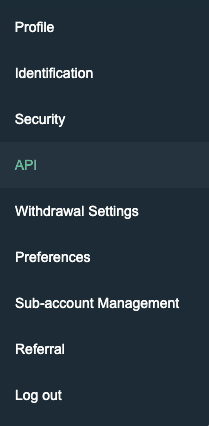
Navigate to API Management
Click your profile icon in the top-right corner and select "API" from the dropdown menu.
3
Configure Permissions
In the API creation form, check the following permission boxes:
✅ Read
✅ Trade
❌ DO NOT check "Withdraw"
Leave the IP restriction field empty.
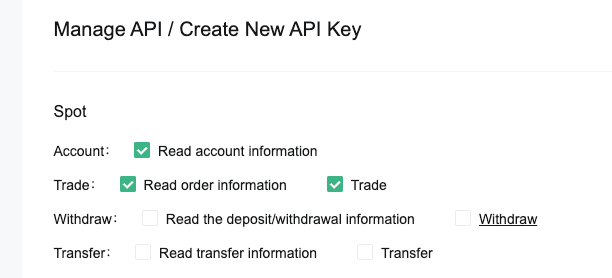
Do NOT check the Withdraw permission. Only Read and Trade are needed.
4
Enter Description
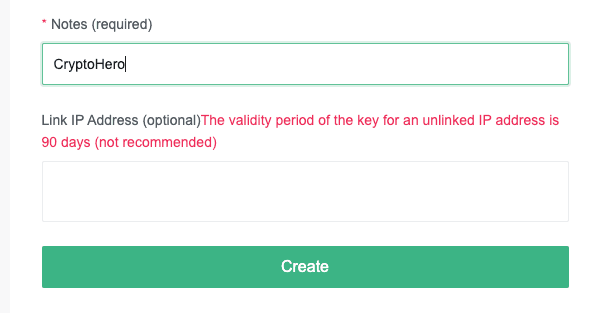
In the Notes field, enter a description for the API key (e.g., "10Quant") so you can identify it later.
5
Complete Security Verification
Enter your Google Authenticator code and/or email verification code as prompted to confirm the creation. Click "Create".
6
Copy Your API Keys
After verification, you will see your Access Key and Secret Key. Copy both values immediately. The Secret Key will only be displayed once.
7
Add API Key to 10Quant
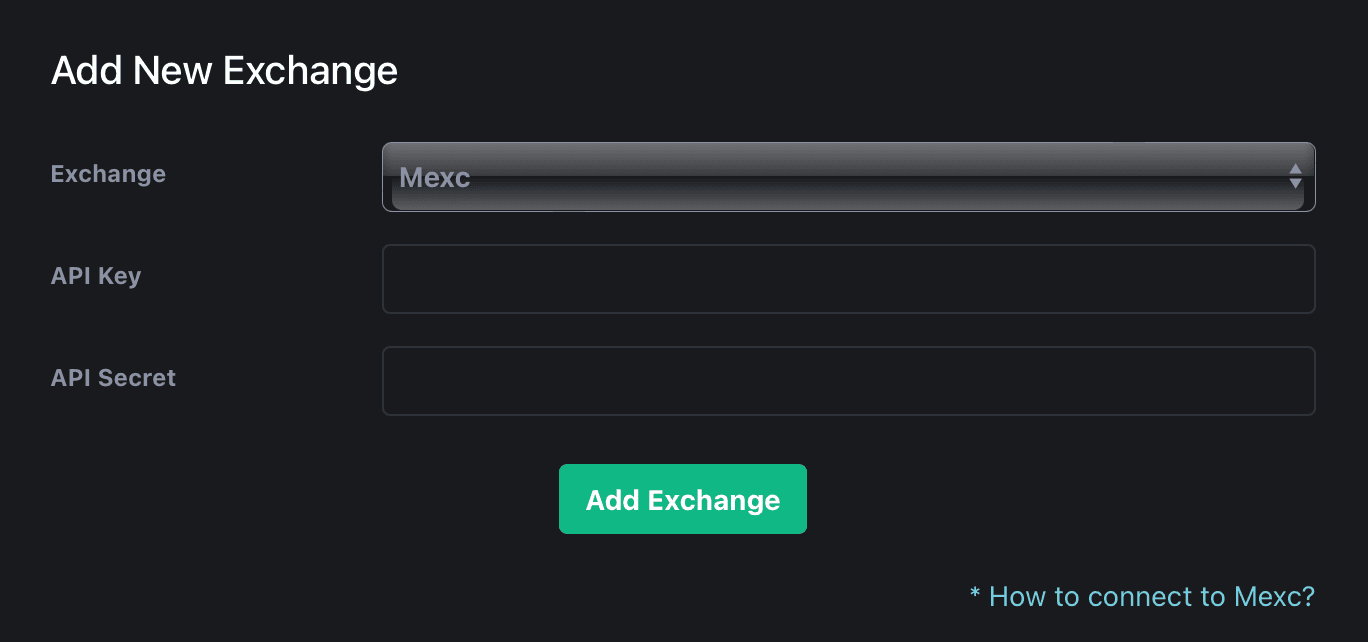
Go to the 10Quant platform and navigate to Settings > Exchange API. Click "Add Key", select MEXC as the exchange, then paste the API Key and Secret Key. Click "Verify" to confirm the connection is working. Click "Add Exchange" to save.
Important Warnings
- Never grant Withdraw permission.
- 2FA must be enabled before creating API keys.
- Store your Secret Key securely — it cannot be retrieved later.
- MEXC API keys may expire after a certain period. Check your API key status periodically.
Helpful Tips
- MEXC does not require a Passphrase for API authentication.
- If you lose your Secret Key, you will need to delete the API key and create a new one.
- KYC verification is required to access futures trading features.